The case file, read and ready for court.
BriefGlass is a reading and analysis app for litigators. Read the whole record side by side, mark the passages you will rely on, and take the List of Dates, the Written Submissions and the Compilation to court, built from your own marks.
Coming soon to the App Store
For firms: talk to usOn iPad, Mac and iPhone. Free for 14 days, then a subscription through Apple. The price will be announced at launch.
A case file is not one PDF.
It is a plaint, a written statement, affidavits, orders and a shelf of authorities, and the argument lives in the gaps between them.
A PDF reader shows you one page at a time. Your notes sit somewhere else. The list of dates is typed out again at midnight.
From first reading to the hearing.
One matter, followed through BriefGlass in five steps: Kavirath Textiles Limited v. Dhruvanta Logistics Private Limited, an arbitration over goods lost in a fire at the carrier's godown.
Screenshots of BriefGlass with the fictional sample matter that ships with the app.
-
1The papers arrive
Read.
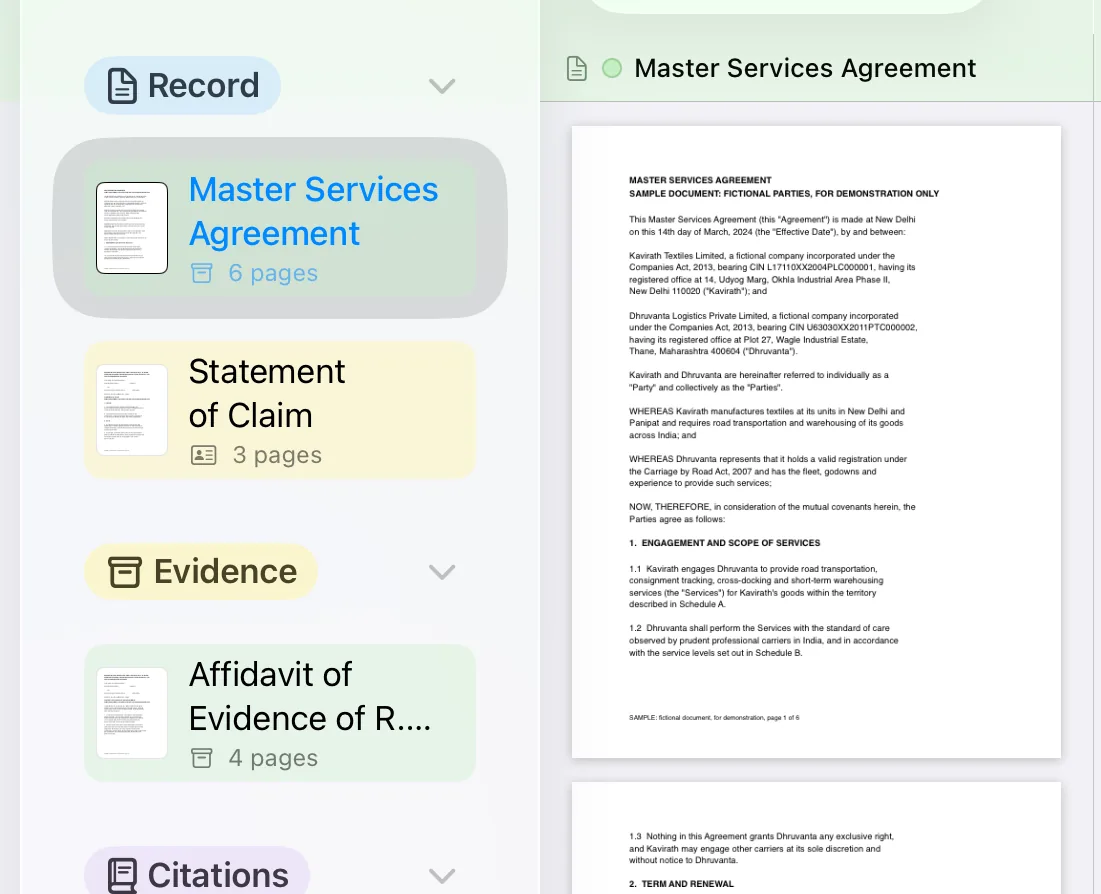
Open every paper of the matter side by side. Each document wears the colour of its kind: our pleadings, the other side's, evidence, orders, authorities. Scanned pages become searchable.
By the end of this stepThe whole record is in one place, sorted by kind, and you can search every page of it.
-
2You find what matters
Pull.
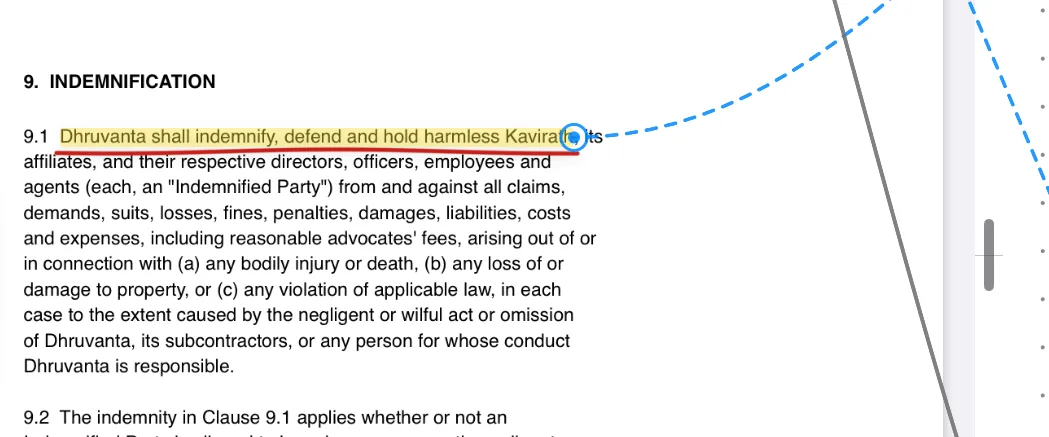
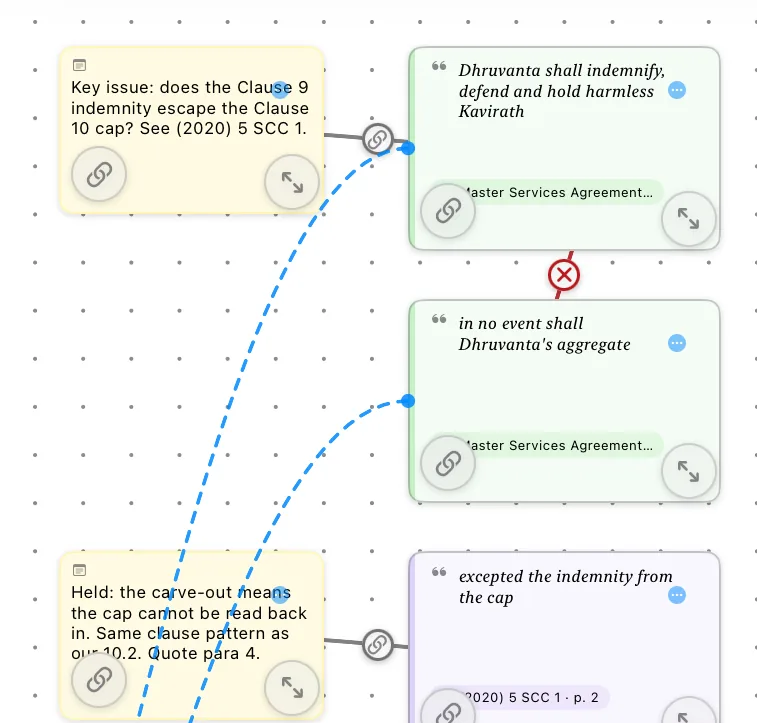
Clause 9.1 of the agreement is the indemnity. Drag the passage onto the canvas and it becomes a card. The card stays tied to its page and line. Tap it and the source opens there.
By the end of this stepThe passages you will rely on are cards on one canvas, and each one opens its source at the page.
-
3The argument takes shape
Connect.
The agreement promises an indemnity in Clause 9 and caps the carrier's liability in Clause 10. Join the two passages and say why: supports, contradicts, same event. The word prints in the brief.
By the end of this stepEvery point where the two sides meet or part is joined, and each join carries its reason.
-
4The chronology
Date.
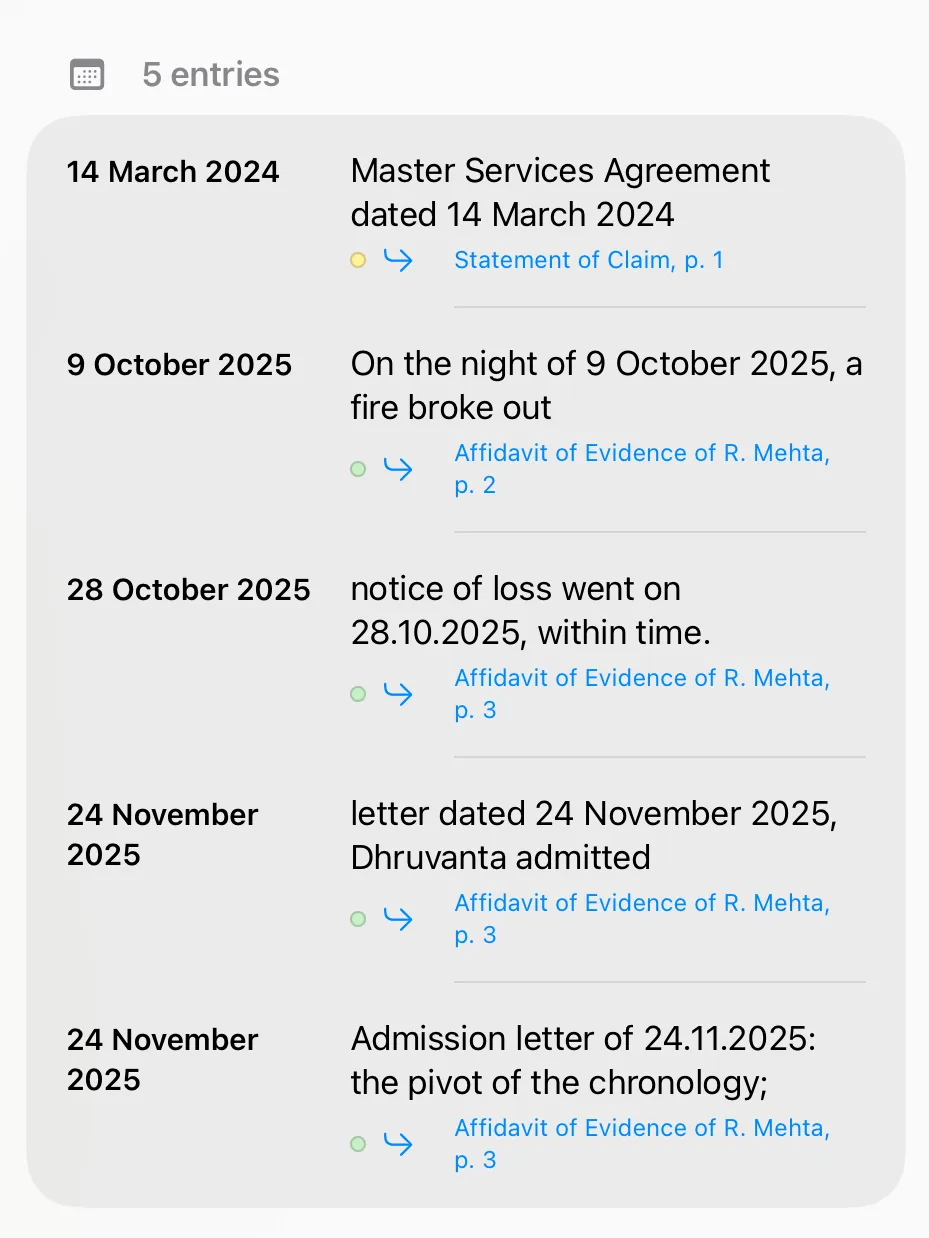
Every mark that carries a date is offered for the List of Dates. Confirm the ones that belong and each line keeps its page. Where the two sides give different dates, both stay, each with its source.
By the end of this stepThe List of Dates and Events exists, with its source on every line, and nobody typed it out.
-
5Before the hearing
File.
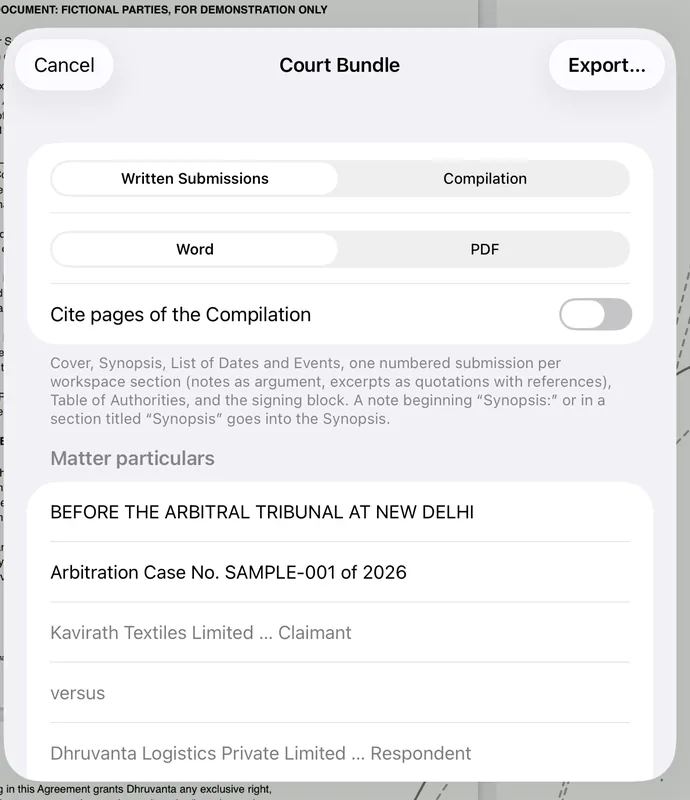
The Court Bundle export writes Written Submissions and a Compilation from your cards, in Word or PDF: the cover with the cause title, a synopsis, the List of Dates and Events, one numbered submission for each section of your canvas, and a table of authorities.
Also: an annotated PDF, your notes as a Word file, and a zip of the whole matter.
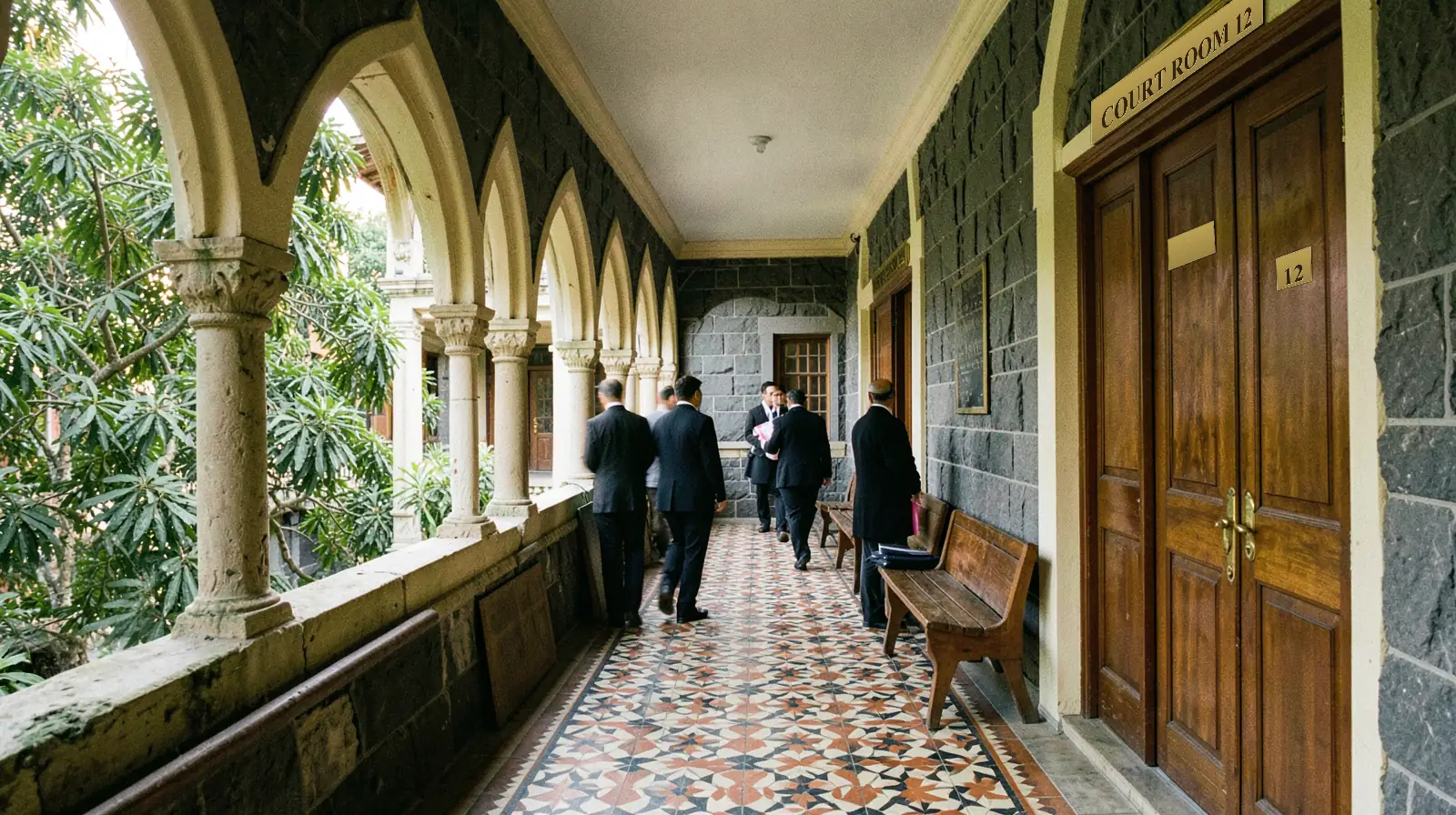
By the end of this stepYou walk into court with the Written Submissions and the Compilation, built from the marks you made while reading.
- Written Submissions.docx
- Compilation.pdf
Imports LiquidText projects.
Bring a project or a whole library across from a folder in Files. Exports made on iPad, Mac and Windows all open. The import report tells you what came across, category by category, and what it could not carry.
LiquidText is a trademark of its owner. BriefGlass is an independent product and is not affiliated with or endorsed by LiquidText.
- Excerpts and highlights
- Comments and notes, with bold, italic, underline and colour
- Groups and workspace pages
- Connections
- Hand-drawn ink
- Saved web pages, as PDFs
- Document folders
- Oversized canvases, scaled to fit so no ink is lost
Two ways to have it.
For you
A solo lawyer or a small chamber.
14 days freeThen a subscription through Apple. The price will be announced at launch.
- Coming soon to the App Store. When it arrives, everything is open for 14 days.
- One subscription covers iPad, Mac and iPhone.
- If you stop paying, your matters stay yours. You can still read, search and export them.
Coming soon to the App Store
For your firm
A firm licence, bought from us directly.
By the seatThe per-seat price is to be announced.
- Seats you hand out and take back from your own admin page. No device management needed.
- The app alone, or with Cabinet, our document management system on your own server, or with Cabinet and the audit server.
or write to hello@briefglass.com
Made for confidential files.
Your papers stay on your devices
Matters live on the device and in your own iCloud. There is no BriefGlass account, and we cannot read your files.
Lock, audit trail, clean export
Face ID to open the app. A record of every open and export, in plain sentences. A flattened PDF with nothing hidden inside.
For firms, the firm's own server
With Cabinet, documents stay on the firm's server. The app shows what the server sends and nothing else, and every read and write names the person.
How BriefGlass handles confidential files
The straight answerBriefGlass needs iPadOS, iOS or macOS 26 or later. There is no Windows app, though LiquidText projects exported on Windows import.